S3XY Commander on the Model YL — Toggle Setup After Installation
If S3XY Commander functions don't work right after installing on the Model YL, here's the app / firmware update and the single CAN-bus-mapping toggle that fixed it for us.
The one thing we couldn't fit in the video
In our YouTube video, some S3XY Commander functions didn't work right after we installed it. Writing it up here so it's easier to follow.
Cause and fix
It's common for the unit to look unresponsive immediately after install. The fix is sequential:
- Update the S3XY app — Android 6.4.5 or later.
- Update the S3XY Commander firmware — 6.5.5 firmware.
- Enable the toggle in the app — turn ON
Switch CAN bus mappingunder Commander Configuration.
| Step | Item | Recommended version / setting |
|---|---|---|
| 1 | S3XY app (Android) | 6.4.5 |
| 2 | S3XY Commander firmware | 6.5.5 |
| 3 | Switch CAN bus mapping | ON |
Firmware 6.5.5 release notes
Firmware 6.5.5 adds official support for the Model Y Juniper Long (YYY = Model YL).
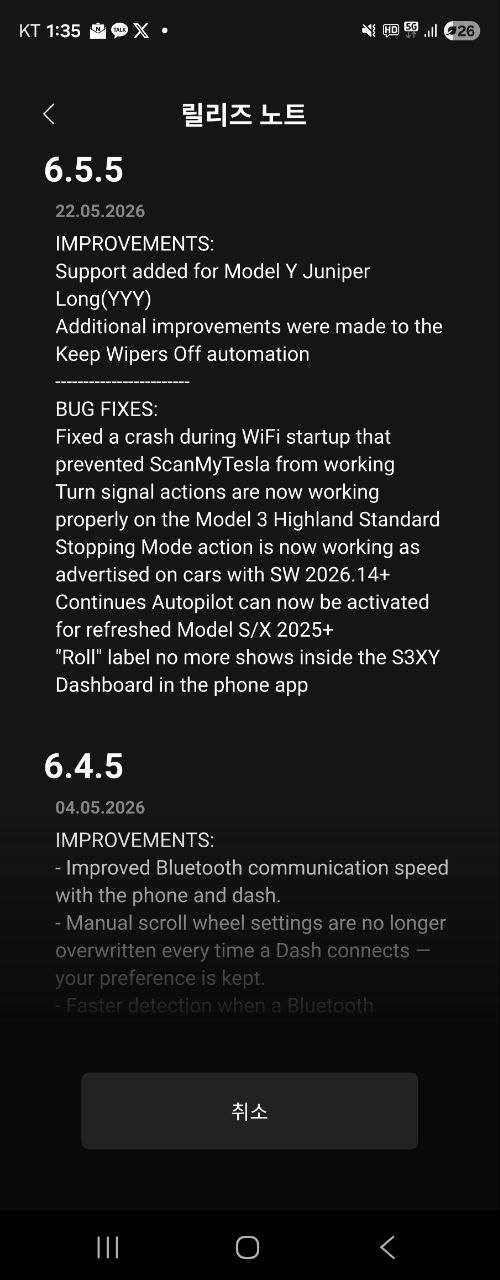
Entering Commander settings
After updating, open the app and go to Commander Settings → Commander Configuration.
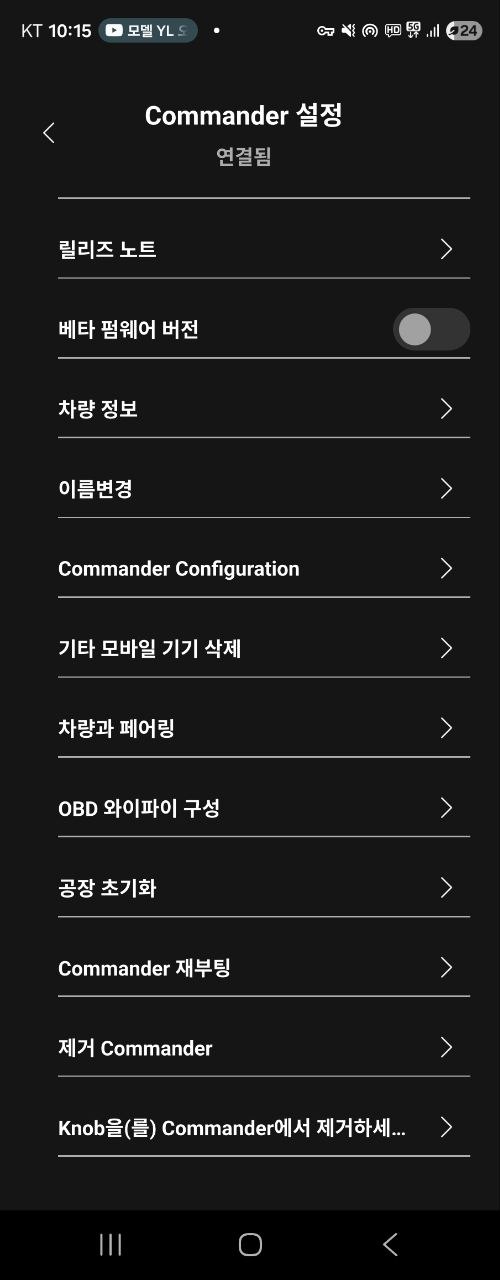
Toggle: Switch CAN bus mapping
On the Configurations screen, turn Switch CAN bus mapping ON. This one row is the trick.
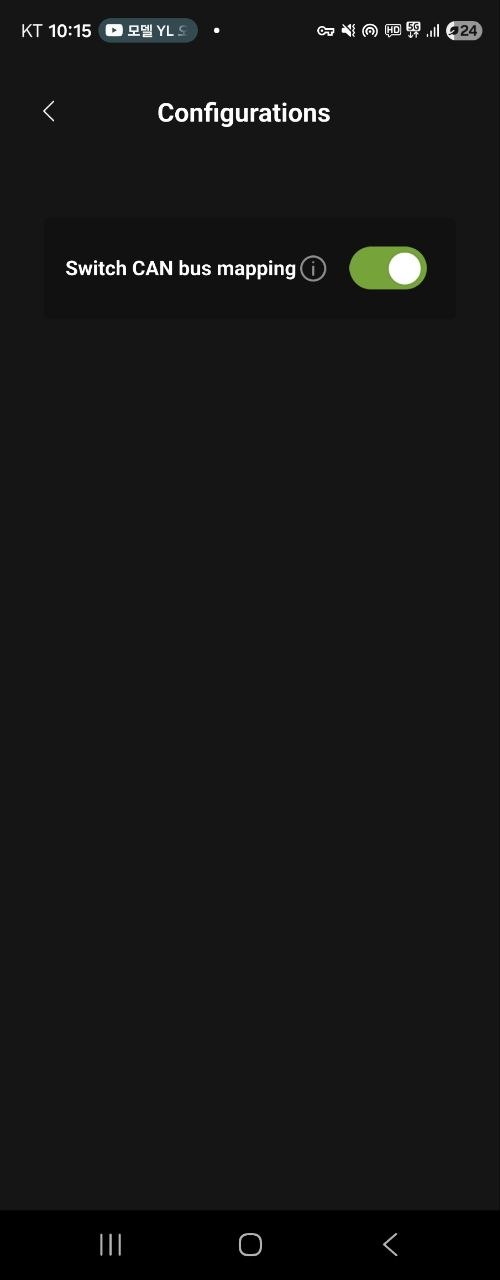
After all three steps, the vehicle controls work as expected.
Cable-revision reference
Some Model YL deliveries ship with a revised connector. For cable compatibility, the Enhance Korea official blog has the most up-to-date notes:
Our setup notes
- Car: Model YL (Diamond Black, Korean delivery)
- Accessory: S3XY Commander + firmware 6.5.5
- App: S3XY (Android 6.4.5)
- Decisive setting:
Switch CAN bus mappingON - Result: vehicle controls worked the moment the toggle was enabled
To close
S3XY Commander updates frequently. If it doesn't respond after install, walk the firmware → app → CAN bus mapping toggle order.
Install footage will be on TLEV Televi on YouTube. Next post: Model YL pickup diary — Diamond Black, week one.
— Tom & Yun, TLEV